Plans the campaign types you use
Search, Shopping, Performance Max, Display, Demand Gen, Video and App, with budget, bidding, locations, languages, ad groups, keywords and ads filled in from your onboarding and feed.
Integrations / Google Ads
Connect your Google Ads account read-only and brief the agent in the chat. The agents read your campaigns and results, plan new ones with the settings filled in, and send them to Google Ads when you slide.
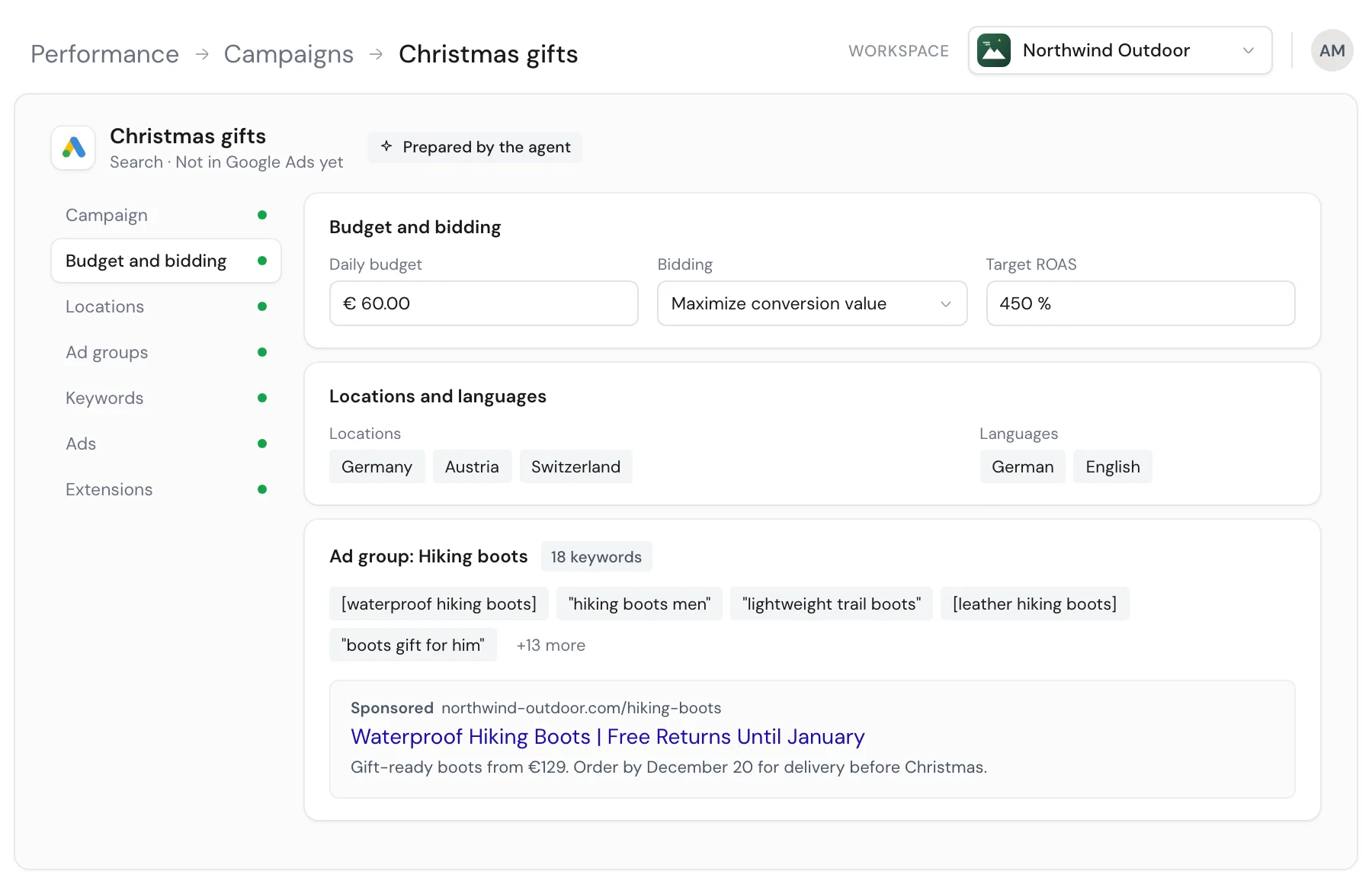
The agent plans with you, and the Performance department builds the campaigns.
Search, Shopping, Performance Max, Display, Demand Gen, Video and App, with budget, bidding, locations, languages, ad groups, keywords and ads filled in from your onboarding and feed.
New Search campaigns go to Google Ads paused and in one piece. If a part can't be created, nothing is, so a half-built campaign can't run. Other types leave as a Google Ads Editor file (Search, Shopping and Performance Max) or a workbook.
Link a live campaign with Edit, change it in Alpue and send the changes with a slide. If someone changed it in Google Ads meanwhile, you choose which version to keep.
Creates, changes and removes audiences, and uploads customer lists hashed, once you confirm the customers agreed.
The agents gather keywords from Search Console, Google Autocomplete, competitor sites and keyword data, group them and map them to your product lines, with an Excel export.
Spend and results next to Google Analytics and Merchant Center, as live charts in the conversation and as PDF or Excel files to share.
Add Alpue's reader address as a read-only user in your Google Ads account, or sign in with Google.
A campaign or a change reaches Google Ads only when someone allowed to push drags the slider. Each slide sends one action to one campaign.
Changes made by hand, by the agents or in Google Ads itself, and each push, are kept in the campaign's history.
Security →