Skip to content
Alpue Studio

Integrations. Your ad accounts and data, and other services by their API.

Google, Meta, Sklik and Asana connect natively. Your shop, email tool, chat or another service with an API becomes a custom integration that the agent reads like the rest. Each workspace has its own connections, and only owners and admins can add one.
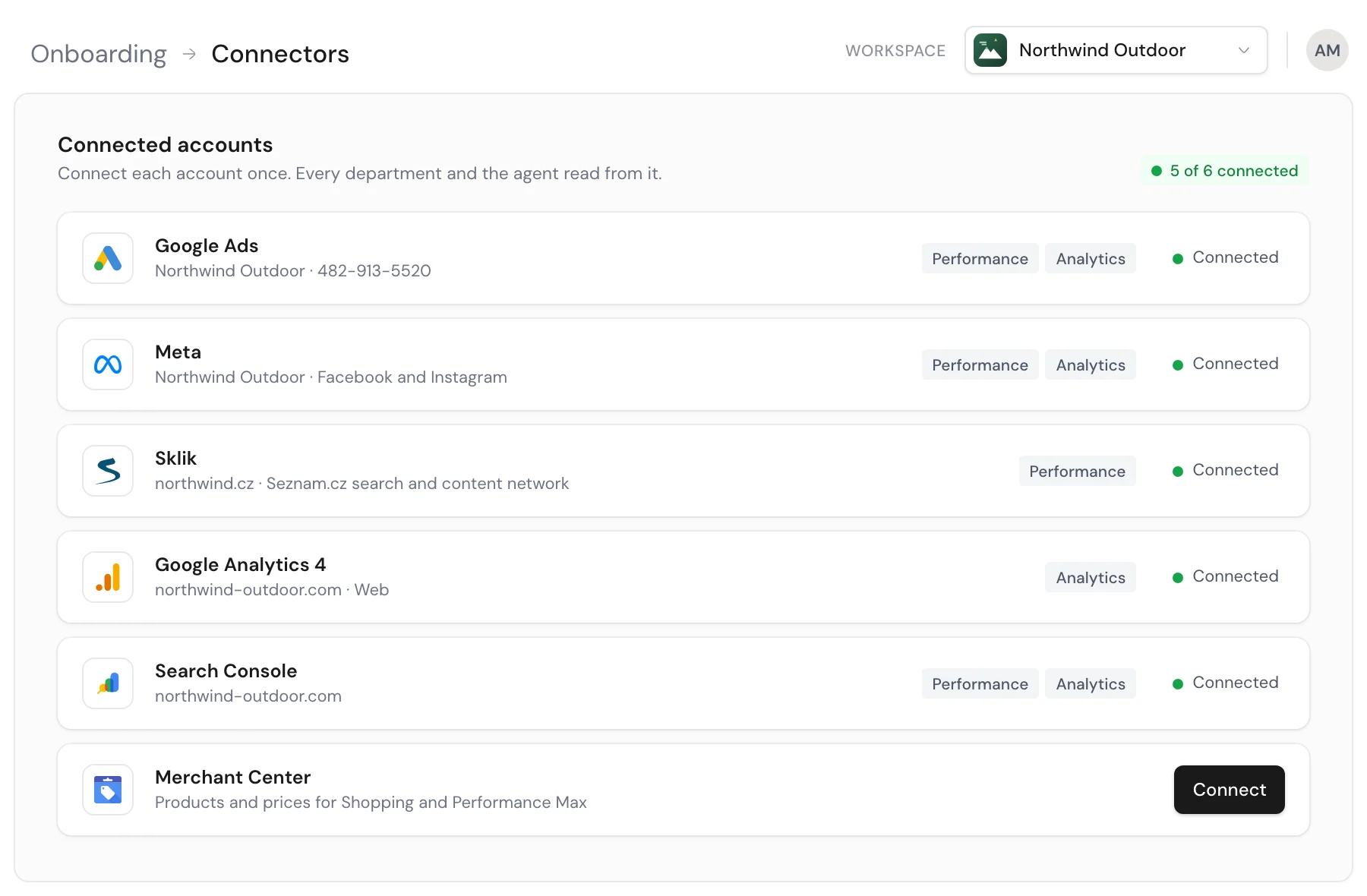
The connections of a workspace in Alpue Studio, with Google Ads, Meta, Sklik, Google Analytics 4 and Search Console connected read-only

Custom integrations. Connect a service by its address or its docs.

Your shop, CRM, email tool or an ad network without a native connection can be read when it has an API.

Paste an address or a docs link

Give Alpue Studio the service's API address or a link to its documentation, under Onboarding > Connectors > Other services.

It works out the connection

It reads the service's OpenAPI or Postman file, or the documentation itself, and finds the endpoints and how to sign in. When it finds nothing, you fill in a short form.

You sign in the way the service asks

An API key, a username and password, or OAuth. The key is encrypted and tied to that one connection.

The agent uses it like the rest

It lists the service's endpoints, calls the ones a question needs and shows each request under See query, next to its Google Ads and Meta queries.

Read-only

The agent can fetch, search and run reports through a custom integration. Writing to these services is not built.

Security →

What you can connect. Native or custom.

Native ones are built into Alpue Studio. The custom ones connect through their own API, with your key or sign-in, and the agent reads them like the rest. A tool that is missing here connects the same way when it has an API.

Advertising

  • Google AdsNative
  • Meta AdsNative
  • SklikNative
  • Microsoft AdvertisingCustom
  • LinkedIn AdsCustom
  • TikTok AdsCustom
  • Amazon AdsCustom
  • Pinterest AdsCustom
  • Snapchat AdsCustom
  • Reddit AdsCustom
  • X AdsCustom
  • Apple Search AdsCustom
  • Spotify AdsCustom
  • Quora AdsCustom
  • CriteoCustom

Analytics and data

Online shops

  • ShopifyCustom
  • ShoptetCustom
  • WooCommerceCustom
  • PrestaShopCustom
  • Adobe CommerceCustom
  • BigCommerceCustom
  • ShopwareCustom
  • WixCustom
  • SquarespaceCustom
  • UpgatesCustom
  • WebflowCustom

Marketplaces and feeds

  • HeurekaCustom
  • Zboží.czCustom
  • AmazonCustom
  • eBayCustom
  • AllegroCustom
  • KauflandCustom
  • EtsyCustom
  • AlzaCustom
  • MergadoCustom

Email and SMS

  • KlaviyoCustom
  • MailchimpCustom
  • EcomailCustom
  • SmartEmailingCustom
  • BrevoCustom
  • ActiveCampaignCustom
  • OmnisendCustom
  • BloomreachCustom
  • MailkitCustom
  • TwilioCustom
  • MailgunCustom

CRM

  • HubSpotCustom
  • SalesforceCustom
  • PipedriveCustom
  • Zoho CRMCustom
  • RaynetCustom

Communication

  • SlackCustom
  • Microsoft TeamsCustom
  • GmailCustom
  • OutlookCustom
  • DiscordCustom
  • WhatsApp BusinessCustom
  • TelegramCustom
  • MessengerCustom
  • ZoomCustom
  • Google ChatCustom

Customer service and reviews

  • ZendeskCustom
  • IntercomCustom
  • SmartsuppCustom
  • TidioCustom
  • LiveChatCustom
  • DaktelaCustom
  • TrustpilotCustom
  • Google Business ProfileCustom

Social and content

  • InstagramCustom
  • Facebook PagesCustom
  • YouTubeCustom
  • TikTokCustom
  • LinkedIn PagesCustom
  • ThreadsCustom
  • WordPressCustom
  • CanvaCustom
  • FigmaCustom

Work and files

  • AsanaNative
  • Google DriveNative
  • SharePointNative
  • OneDriveNative
  • JiraCustom
  • TrelloCustom
  • monday.comCustom
  • ClickUpCustom
  • NotionCustom
  • AirtableCustom
  • Google SheetsCustom
  • DropboxCustom
  • ConfluenceCustom

SEO

  • AhrefsCustom
  • SemrushCustom
  • Marketing MinerCustom
  • CollabimCustom
  • SimilarwebCustom

Payments and delivery

  • StripeCustom
  • PayPalCustom
  • GoPayCustom
  • ComgateCustom
  • AdyenCustom
  • KlarnaCustom
  • FakturoidCustom
  • PacketaCustom
  • BalíkobotCustom
  • DHLCustom

Automation and affiliate

  • ZapierCustom
  • MakeCustom
  • n8nCustom
  • DognetCustom

Native ad accounts. Where the campaigns run.

The agents read campaigns and results, and plan new work. New campaigns and changes go back paused, with a slide.

Google Ads

Add Alpue's reader address as a read-only user in Google Ads, or sign in with Google. The agents then read campaigns, spend, results and keyword ideas.

Alpue Studio for Google Ads →

Meta Ads

Connected through your Business Manager, with no Facebook login. You pick the ad account, and the agents read Facebook and Instagram campaigns, results and account standing.

Alpue Studio for Meta Ads →

Sklik

Paste the workspace's own Sklik API key. The agents read campaigns, groups, keywords and results on Seznam.cz.

Alpue Studio for Sklik →

Native data. What the numbers mean.

The sources the agents use to judge results, find keywords and know the products.

Google Analytics 4

Google sign-in with view-only access. Traffic, sessions, conversions and e-commerce sales.

Google Search Console

Google sign-in with view-only access. The queries the site already ranks for, with clicks and positions.

Google Merchant Center

Google sign-in. Products, their approval status and disapprovals. Alpue blocks writing to it.

Product feed

Pasted, or found by the agents in Merchant Center, on the shop's site or on the web. When there is no feed, they read the products from the website.

Keyword data

DataForSEO, connected once for your account, for keyword ideas next to Search Console and your competitors.

Briefs and research. Your plans and your competitors' ads.

Asana

Sign in through Alpue's Asana app with read permissions only, then tick the projects. Alpue reads only their briefs, tasks, comments and deadlines.

Competitor research

Google Trends, the Meta Ad Library and Google Ads Transparency, with no connection needed.

Connect a brand. The agents take it from there.

Connect once per workspace. After that the agent reads the accounts itself and shows each query it ran.